
Discover the services we offer
We can roughly distinguish five different types of knowledge clips: a studio recording, a screen recording, a practical instruction, a location shoot and a tailored video. They all have their pros and cons and within these different types there is more room to specify for your goal. Please do not hesitate to contact one of our instructional designers to discuss the possibilities for your course. Once you have decided that you want to make an educational video, you will probably have a good idea of what message you want to deliver. Choosing the right setting or video format for how you will present the information, is key in reaching this goal. Please bear in mind that the different types of video require different amounts of time required from you as a lecturer, and from the Educational Media team.
In this article:
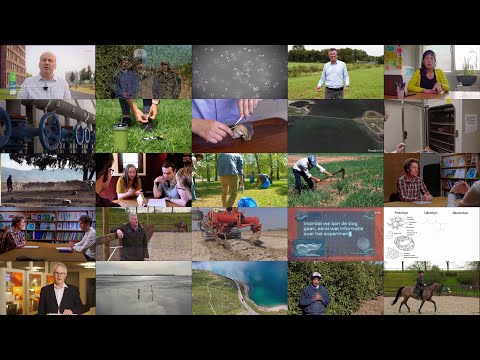
In the video below, the five different types are illustrated:
Contact [email protected] or book your intake meeting to discuss your idea and get started.
Green Screen Studio Recordings
A green screen studio recording is the most common type for educational video. Knowledge clip, studio recording, lecture video, talking head video, educational video; there are many different names for the type of educational video you can record in our green screen studio recording called the Dragonfly studio. We refer to it as a knowledge clip: a short video by an expert, typically around 6 minutes in length, that is used to transfer knowledge to learners. A knowledge clip deals with 1 topic and typically uses a slide deck or images to convey the story.
The preparation is relatively short and easy. You start with an intake and, if it is your first recording, follow an online course with feedback from one of our Instructional Designers. After booking a slot in the agenda, you will be guided through the recording by one of the studio operators. Because the videos are produced as ''one takers'' that do not require post editing, the video will be available the same day. You can use it immediately. In the article About Knowledge Clips you can learn more about the process.
Want to get started? We offer a course that helps you go from idea to a finished knowledge clip step by step. From formulating your key message and goal, to recording in the Dragonfly studio: https://brightspace.wur.nl/d2l/le/discovery/view/course/293225.
Location Shoot
Filming on location has advantages which might make it the perfect choice for your video. You can film in a relevant setting, show how something works in real life and engage your students by offering an original video.
Practicum Clip
Showing practical instructions in a pre-recorded video has certain advantages over the traditional in class way. You can prepare everything in advance and are sure the final demonstration will show the instructions as they were supposed to. You have more time and attention to devote to the practical itself. You can use the video many times and students can re-watch if they did not follow a specific part the first time.
Field Clip
You can demonstrate something outside and show close-ups of the topic you are talking about.
Interview
Have an interview in a real life setting. Either the final video will highlight the most important parts in a short video, or you get a longer, more in depth, video with the full interview.
One-on-one Conversation
You can have a unscripted discussion with someone. This can be useful for example for Frequently Asked Questions or to go in depth about a topic with an expert.
Creating a virtual tour
You can use a virtual tour to enhance an excursion or field trip, as is done in this showcase. You can also use a virtual tour to show others a specific location, such as a lab, a greenhouse or a recording studio. For the virtual tour, you can use one of the products of H5P. This is an external tool that is integrated in Brightspace. Here you can find the page on how to set up this tool in your Brightspace course. As you will see, there are many different 'content types' that they offer.
In case you have some questions regarding the creation of a virtual tour with 360 degree images and H5P, you can always contact the educational media team. They are happy to help you and to think along with you.
Screencast/Podcast
Using podcasts in education is becoming more and more popular. In the Hummingbird studio you can record a podcast with up to four speakers and even call in someone via videocall. You can make a screen recording if you want to record your screen while showing a specific application. In a screen recording, the screen including your actions on the screen are recorded. It is also possible to record audio simultaneously. If you want to record an voice over you can record your voice over an existing video.
Learn more about the facilities in Hummingbird studio: screencast & podcast recording. Specifically interested in podcasts? Check out About Podcasts.

Animation
Animation is a great tool for educational videos. The possibilities are endless, but in we short offer two types of animation:
- Additional Animation: Animations as addition to your video. For example: animated text, lines, graphs, icons or illustrations on top of your video. With this you can give more information or draw attention to a certain part.
- Full Animation: A fully animated video. Animation simplifies the topic and therefor makes it more clear. Besides you can show things that might not be possible to film.
Tailored videos
If you would like to produce a video that does not fit in the one of the standard formats above, this is often possible although planning, recording and editing takes more time and effort in this case. We can record interviews, talk shows, quiz shows and anything you can come up with that supports your educational goals.
Videos in other settings or locations than the Green Screen Studio Recordings (Dragonfly studio), require more planning and recording time and effort. A lot is possible, but this should be checked and planned well in advance with the Educational Media team. Don't worry! We will see what is possible and guide you through the entire process.
The indicated times that recording and preparations take are estimated and very significantly depending on your experience and the subject. The indications are per knowledge clip.
- Green Screen Studio Recording – 3 to 6 hours of preparation + 1 hour recording
- Screencast/Podcast Recording – 1 to 4 hours of preparation + 2 hours recording
- Practical Instructions – 3 to 6 hours of preparation + 3 hours recording + editing
- Location shoot – 3 to 8 hours of preparation + 3 hours recording + editing
- Tailored video – preparation up to 10 weeks + recording and editing 2 to 3 weeks

Contact [email protected] or book your intake meeting to discuss your idea and get started.
Want to know more about video and podcasts for education?
Please visit:
0 Comments
Add your comment